
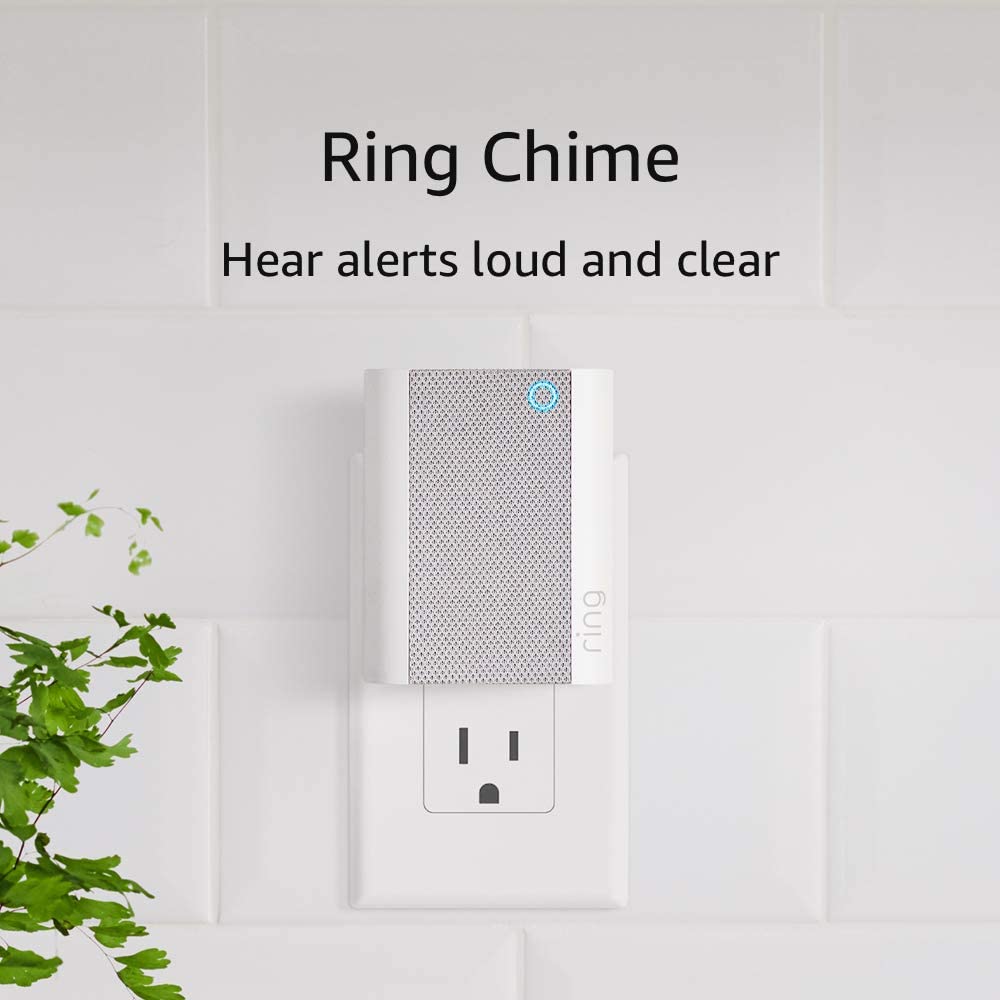
Hook — Why a small speaker can change how your smart home feels
Smart doorbells and cameras are great — until you miss a delivery because your phone was muted. The Ring Chime solves that simple but costly problem: it brings audible, configurable chimes into the rooms where you actually hear them. Small, affordable, and trivial to install, the Chime turns invisible notifications into something you won’t ignore.
What this review covers
- Short verdict and ideal user profile
- Complete specs and features table
- Hands-on performance: sound, notifications, latency, and reliability
- Setup walkthrough and smart-home tips
- Comparison to alternatives and pairing suggestions
- Pros & cons, final verdict, FAQs, and a conversion-ready CTA
Quick verdict
The Ring Chime is a low-cost, high-impact accessory for anyone using Ring cameras or doorbells. It doesn’t replace a smart speaker, but it will reliably alert you across the house with configurable tones and volumes. If you want a simple way to make sure alerts aren’t missed — without relying on phones or displays — the Chime is an easy add.
Key specs & features
| Feature | Why it matters |
|---|---|
| Form factor | Small plug-in speaker — fits any outlet without blocking adjacent sockets |
| Sound | Multiple chime tones and adjustable volume levels |
| Connectivity | Connects to your Ring account via Wi-Fi and the Ring app |
| Integration | Works with Ring doorbells and cameras to ring inside your home |
| Installation | Plug, pair in the Ring app, and assign to devices/locations |
| Extras | Custom tones, do-not-disturb scheduling, and group chimes by device |
| Price tier | Budget-friendly add-on for Ring users |
Hands-on performance & experience
Sound & audibility
The Chime packs a surprisingly clear, punchy tone for its size. You won’t get deep bass or music fidelity, but that’s not the point — chimes need to be crisp and noticeable, and the Chime delivers. Volume settings cover quiet apartments through medium-size homes, though very large houses may need multiple units to guarantee coverage.
Notifications & latency
Alerts arrive promptly after the doorbell or camera triggers. Tested across routine doorbell presses and motion events, latency is low enough that the Chime sounds essentially in real time, which matters for answering the door or intercepting a delivery.
Reliability & connectivity
Once paired through the Ring app, the Chime is stable on a healthy Wi-Fi network. If your outlet is in a weak-signal zone, consider moving it or pairing another mesh node nearby. The Chime does not require constant attention — set it and forget it.
Customization & usability
The Ring app makes it easy to assign chimes to specific devices and to change tones. You can silence specific chimes or schedule quiet hours, which is useful for overnight or meeting times. For households with multiple devices, grouping and naming chimes keeps alerts sensible and non-intrusive.
Setup: quick step-by-step
- Plug the Ring Chime into a convenient outlet within Wi-Fi range.
- Open the Ring app and choose “Set up a device” → “Chime.”
- Follow the in-app pairing flow, connect to Wi-Fi, and name the Chime.
- Assign which cameras and doorbells should trigger this Chime.
- Customize chime tone and volume; set quiet hours if needed.
- Test with a live doorbell press and a motion alert to confirm placement.
Where the Chime fits in your smart home
The Ring Chime is an ideal companion for a Ring doorbell or camera setup. If you own a Ring Battery Doorbell, adding a Chime ensures you hear doorbell presses even when your phone is elsewhere — consider pairing it with your doorbell for a complete solution (see our Ring Battery Doorbell review for a deeper look). For broader home monitoring, the Chime complements outdoor cameras like the Blink Outdoor 4 by making indoor alerts more obvious. For more device reviews and ideas on building a cohesive smart home, visit our Reviews section.
Comparison & alternatives
- Ring Chime vs smartphone-only alerts: Chime wins for reliability — phones are often muted, delayed, or left in another room.
- Ring Chime vs full smart speaker (Echo): Smart speakers offer voice assistant features and music, but they may be overkill if you only want a dedicated chime. The Chime is cheaper and purpose-built.
- Ring Chime vs wired door chimes: Wired chimes are louder and often more robust, but they require installation. The Chime gives instant functionality with no wiring.
Buyer’s guide — is the Chime right for you?
- Choose a Chime if: you use Ring devices and often miss notifications; you want a low-cost, zero-installation solution.
- Consider multiple Chimes for large homes or to cover separate floors.
- If you already own smart speakers and want voice controls and multi-room audio, an Echo device can also play Ring alerts — evaluate whether you want a purpose-built chime or a multipurpose speaker.
Pros & Cons
Pros
- Extremely simple setup and tiny footprint.
- Clear, audible chimes that get noticed.
- Customizable tones and schedules in the Ring app.
- Affordable and effective — immediate improvement to alert reliability.
Cons
- Small speaker — not designed for music playback.
- Coverage radius limited by Wi-Fi and house layout; large homes may need multiple units.
- Lacks the additional smart features of a full smart speaker.
Final verdict
For Ring users who want to stop missing doorbell presses and motion alerts, the Ring Chime is a purposeful, inexpensive addition that amplifies the value of your Ring devices. It’s not flashy, but it is practical: plug it in, pair it, and know you’ll hear important alerts when they happen.
FAQs — answers readers search for
1. Do I need a Ring account to use the Chime?
Yes — the Chime pairs with your Ring account and devices through the Ring app.
2. Can I assign different chime tones to different devices?
Yes — the app allows you to set which devices trigger the Chime and to customize tones per device.
3. Will the Chime work without Wi-Fi?
No — the Chime connects via Wi-Fi to your Ring account, so a functioning network is required.
4. Is it loud enough for a two-story house?
In many cases one Chime covers a small-to-medium home. For larger or multi-level houses, plan to install additional units in strategic locations.
5. Can I schedule quiet hours?
Yes — the Ring app includes scheduling so you can silence the Chime during overnight or meeting hours.
6. Does the Chime show video?
No — the Chime is audio-only. Use an Echo Show or your phone for live video; pairing with compatible devices gives quick visual access.
7. How many Chimes can I add to my Ring account?
You can add multiple Chimes and assign them to different devices or locations to scale coverage through the house.
Strong CTA
Want to make sure you never miss another delivery or visitor? Add a Ring Chime to your setup for instant, reliable indoor alerts. If you already use a Ring doorbell, pairing a Chime is the fastest way to improve awareness across your home — check our detailed Ring Battery Doorbell review to see how these devices work together. For options on outdoor monitoring and long-life battery cameras, consider our Blink Outdoor 4 review. Explore more product tests and guides in our Reviews section to build a smarter, more responsive home.
(Internal links embedded: Ring Battery Doorbell review | Blink Outdoor 4 review | Reviews )
As an Amazon Associate, I earn from qualifying purchases.
Keywords: Ring Chime, Ring Doorbell, smart home, home security, smart device review, Amazon’s Choice, Wi-Fi chime, real-time notifications, Ring app, home automation